| xPC Target | |
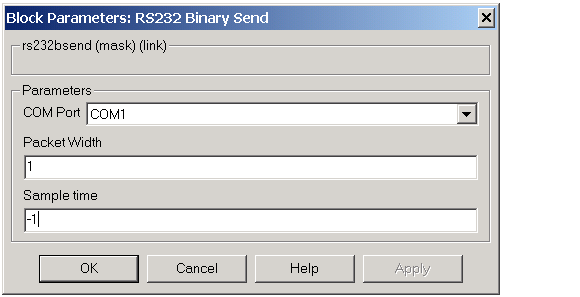
If you drop a block into your model and double-click it, a Block Parameters dialog box opens where you can modify the parameters for this block.
Block Parameters
COM Port -- From the list, select, COM1, COM2, COM3, or COM4. This is the port you want to use to send the data.
Packet width -- Enter the width of the incoming data. This value is a constant, unlike the Receive block.
Sample time -- Enter the frequency this data is sent.
Block Input
Input Port -- This port represents the data to be transmitted. The data should be a vector of type uint8 and of a Packet width specified in the dialog box.
| | RS232 Binary Receive Block | RS232 Binary Pack Block | |